
Ever joined a company with hundreds of engineers and felt lost on day one?
You open your laptop, clone a repo someone sent you, and then the questions start piling up. Which services does my team own? Where's the documentation? Who owns the payment service? How do I deploy without breaking something important?
You want to build. Instead, you're searching.
You jump between GitHub, Confluence, Jenkins, Grafana, PagerDuty, and Slack. Each tool has part of the answer, but none of them tell the full story. Somewhere in this maze is the information you need, but finding it feels like detective work.
This experience is so common that we barely question it anymore. But we should, because it's not normal, and it's definitely not efficient.
Spotify learned this firsthand. As the company scaled, engineers struggled with data silos, scattered technical documentation, and unclear ownership information. To solve those internal problems, Spotify created a homegrown developer portal, what would later become Backstage.
Video Demo
The Real Problem Isn't Complexity, It's Fragmentation
As engineering organizations grow, systems naturally become more complex. That part is unavoidable. What is avoidable is fragmentation.
Most companies don't suffer from a lack of tools. They suffer from too many tools that don't talk to each other. Code lives in GitHub. Docs live in Confluence. Pipelines live in Jenkins. Knowledge lives in Slack channels from months ago.
None of these tools are bad. The problem is that developers are forced to mentally stitch everything together. That constant context switching drains focus and slows progress.
Developers routinely spend 30 to 50% of their time just finding information, not writing code, not fixing bugs, just figuring out how things work. When that's the starting point, onboarding slows, mistakes increase, and productivity quietly bleeds away.
What teams really need isn't another tool, but a central platform, one interface that brings all your infrastructure tooling, services, and documentation together.
What High-Performing Teams Figured Out Early
Companies like Spotify, Netflix, and Shopify hit this wall early. As their software ecosystems grew, they realized developers didn't need more dashboards. They needed clarity.
Instead of adding tools, they focused on building developer portals that connected what already existed. The impact was immediate. Spotify improved onboarding by 2.5x. Netflix made service discovery three times faster. Shopify saw a 50% productivity boost.
Backstage was quickly adopted internally at Spotify. More than 280 engineering teams were using the internal version long before an open source version was released.
Those gains didn't come from hiring better engineers. They came from fixing the environment engineers work in every day.
Why Internal Developer Portals Exist at All
An internal developer portal isn't just another UI. It exists to answer the same questions every internal developer asks, especially in the early stages.
First, it answers what exists. A developer portal provides a service catalog and software catalog that show all the services, APIs, libraries, and resources in one frontend. Instead of guessing, developers get a unified view of the entire system.
Once that's clear, the next question is how do I get started? Instead of copying old repos, developers can create new projects using standardized software templates. These templates encode best practices while still supporting autonomous development teams.
Then comes documentation. The question isn't "where can I find documentation?" but "is the documentation tied to the service and still accurate?" A user-friendly service catalog makes docs part of the system itself.
Finally, everything comes down to ownership. In large organizations, knowing who owns which service, and how services relate, is essential for reliability and speed.
These needs build on each other, and solving them well requires the right foundation.
Backstage: The Framework Behind the Portal
Backstage is an open source framework for building developer portals, originally created by Spotify. It was designed to centralize access to services, resources, tooling, and metadata without compromising team autonomy.
Spotify created Backstage to solve real-world challenges around data silos, integration, and infrastructure tooling. After years of internal use, the Backstage team announced the open source version in March 2020 so other companies could benefit from what they had learned.
Backstage is not a rigid product. It's an open platform, a framework for building a developer portal that fits your organization. You choose how it looks, what it integrates with, and how deeply it connects into your workflow.
That flexibility is why Backstage works across different companies, teams, and skill levels.
From Zero to a Working Developer Portal
One of the first things teams notice when working with Backstage is how quickly it comes to life. With Node.js and Yarn, you can spin up a local Backstage instance in minutes.
Right away, you can explore the centralized software catalog, browse services, inspect ownership information, and see how tooling services and documentation connect. Even with sample data, the value is obvious: everything is discoverable, searchable, and connected.
This early win builds momentum. From there, teams can start modeling their real organization.
The Software Catalog: Turning Chaos into Structure
At the heart of Backstage is the software catalog. This is where abstract ideas like ownership and architecture become concrete.
In Backstage, everything is an entity. People belong to teams. Teams own services. Services expose APIs. APIs belong to systems. Each entity in the Backstage catalog includes metadata such as source code, documentation, lifecycle, and ownership.
This metadata lives in YAML files stored alongside the code. If you've worked with Kubernetes, this approach will feel familiar. Nothing is hidden. Everything is versioned, reviewable, and shared.
As more services are added, the catalog stops being a list and becomes a map, a uniform overview of all your infrastructure and software.
A Quick Demo: What We Actually Build and Explore in Backstage
Talking about internal developer portals is one thing. Seeing one in action is where it really clicks.
In the demo for this episode, the goal isn't to build something production-ready from scratch. It's to show what Backstage looks like on day one and how quickly it starts paying off once you model real teams, services, and APIs.
We start by putting ourselves in a familiar situation: joining a company with hundreds of engineers and very little context. The demo walks through how Backstage replaces that confusion with a single, consistent interface.
Starting with People and Teams
The first thing we explore is something most tools completely ignore: people.
In Backstage, users and teams are first-class citizens. Instead of ownership living in someone's head or a Slack message, it's visible and explicit.
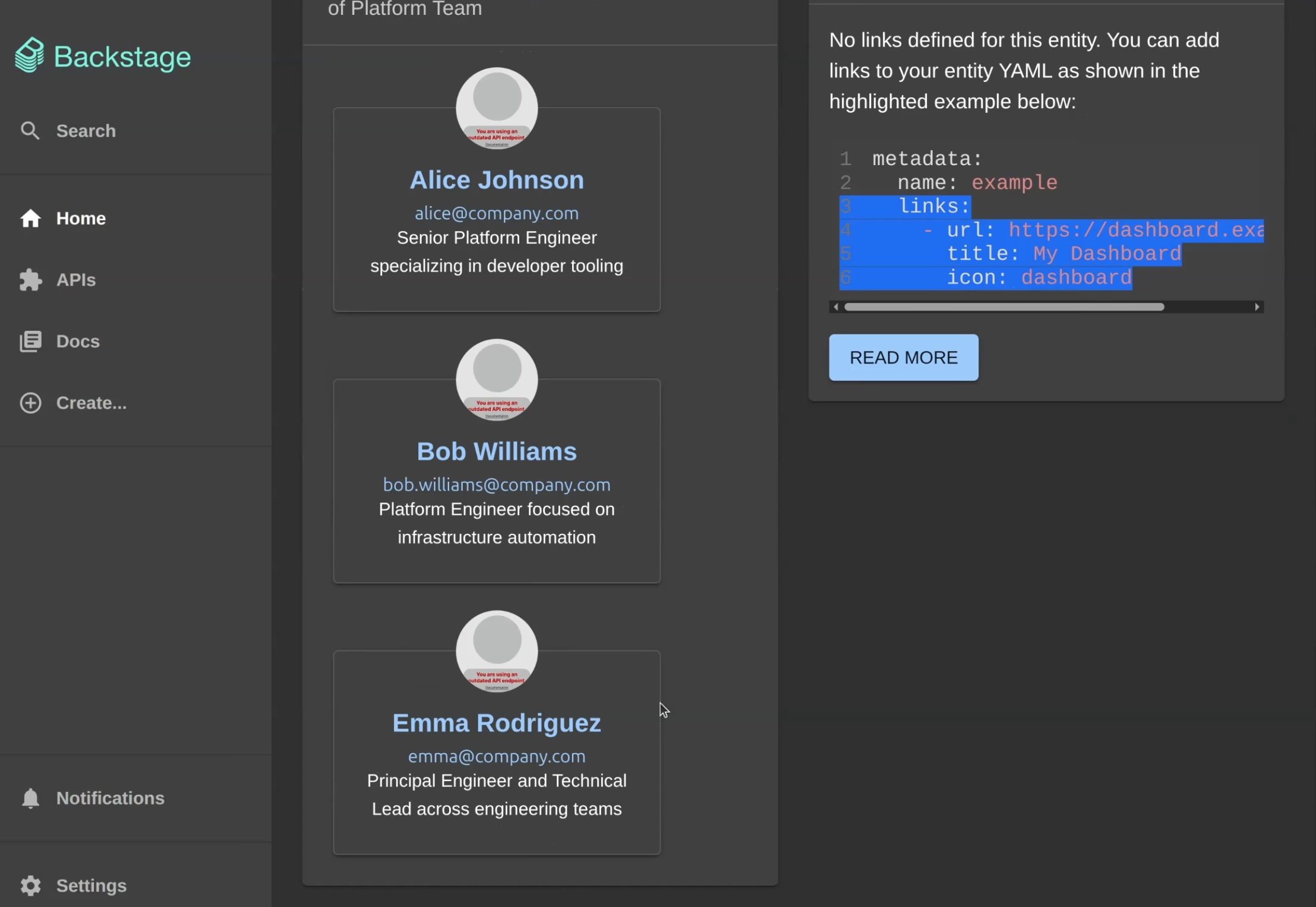
In the demo, we create an engineering organization with a platform team and a frontend team. Each team has real members, real descriptions, and clear relationships to the rest of the system.
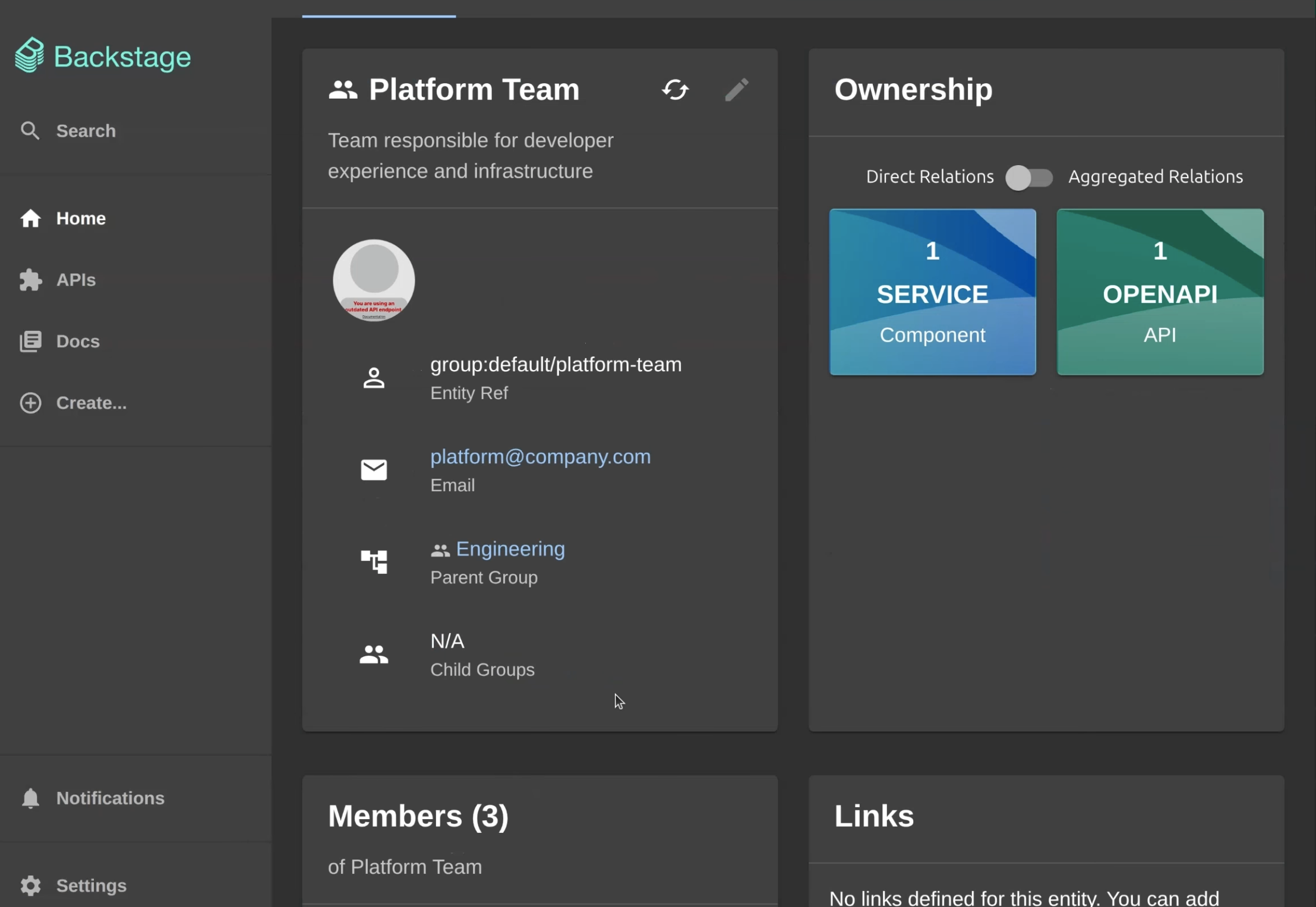
When you click into a team, you immediately see who's on it, which group it belongs to, and, most importantly, what that team owns. This alone removes a huge amount of friction for new hires and cross-team collaboration.
Exploring the Software and Service Catalog
Once teams exist, the demo shifts to the software catalog, which is the backbone of Backstage.
Here, we register services, websites, libraries, and APIs. Each entry includes ownership information, lifecycle stage, and system context. Nothing is hidden, and nothing is implied.
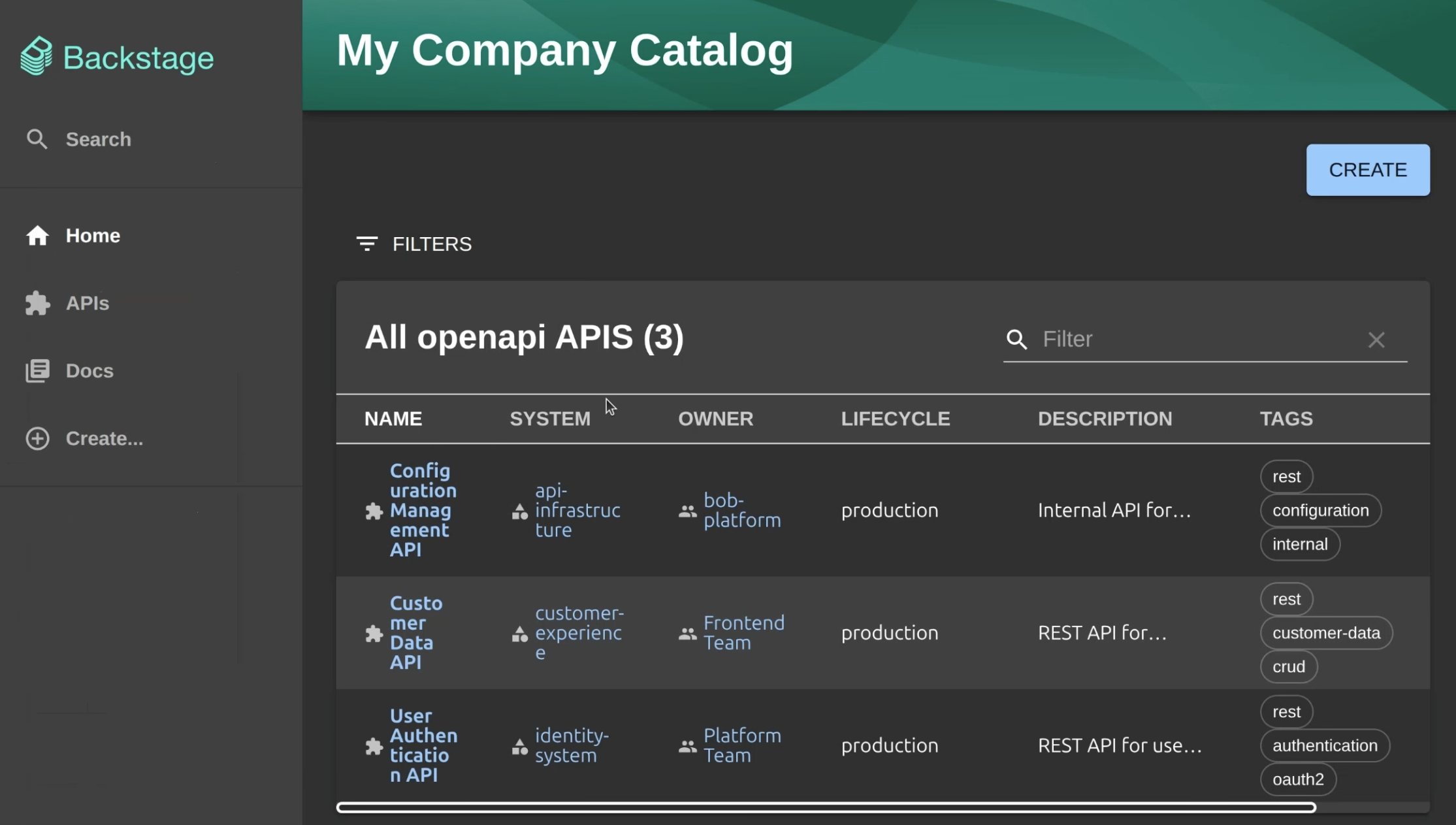
Instead of hunting through repositories or guessing which service does what, developers get a clean, searchable catalog that shows all the services in one place.
This is where Backstage starts to feel less like a dashboard and more like a map.
APIs, Ownership, and Lifecycle at a Glance
From there, the demo zooms in on APIs.
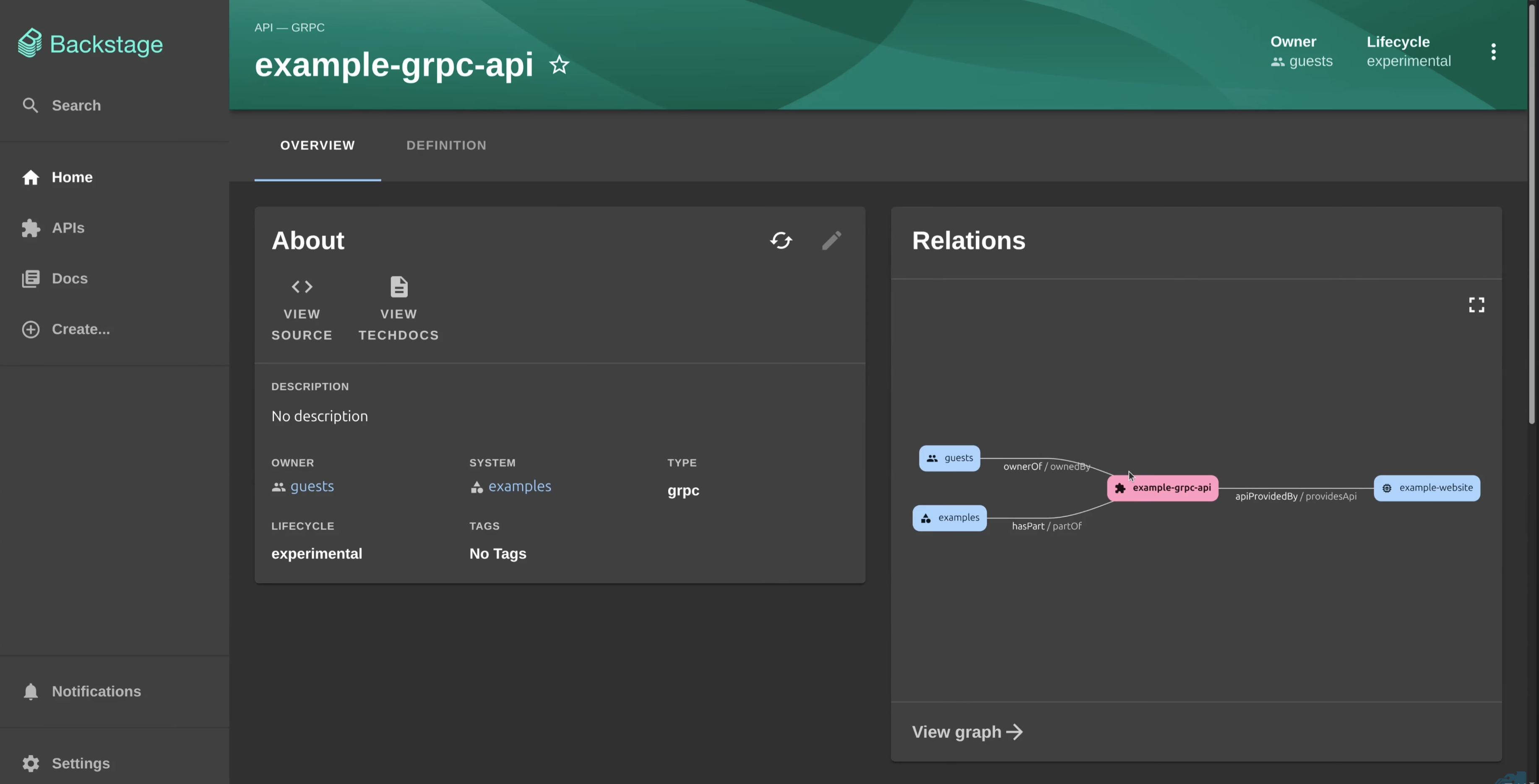
Backstage makes APIs visible in the same way as services. You can see who owns an API, which system it belongs to, whether it's experimental or production-ready, and how it's tagged.
This matters more than it sounds. When ownership and lifecycle are visible, teams stop guessing and start making better decisions, especially during incidents or migrations.
Visualizing Relationships Instead of Guessing Them
One of the most powerful moments in the demo is when we switch to the catalog graph view.
Instead of reading dependency diagrams in docs (if they even exist), Backstage shows how components, APIs, and teams relate to each other visually.
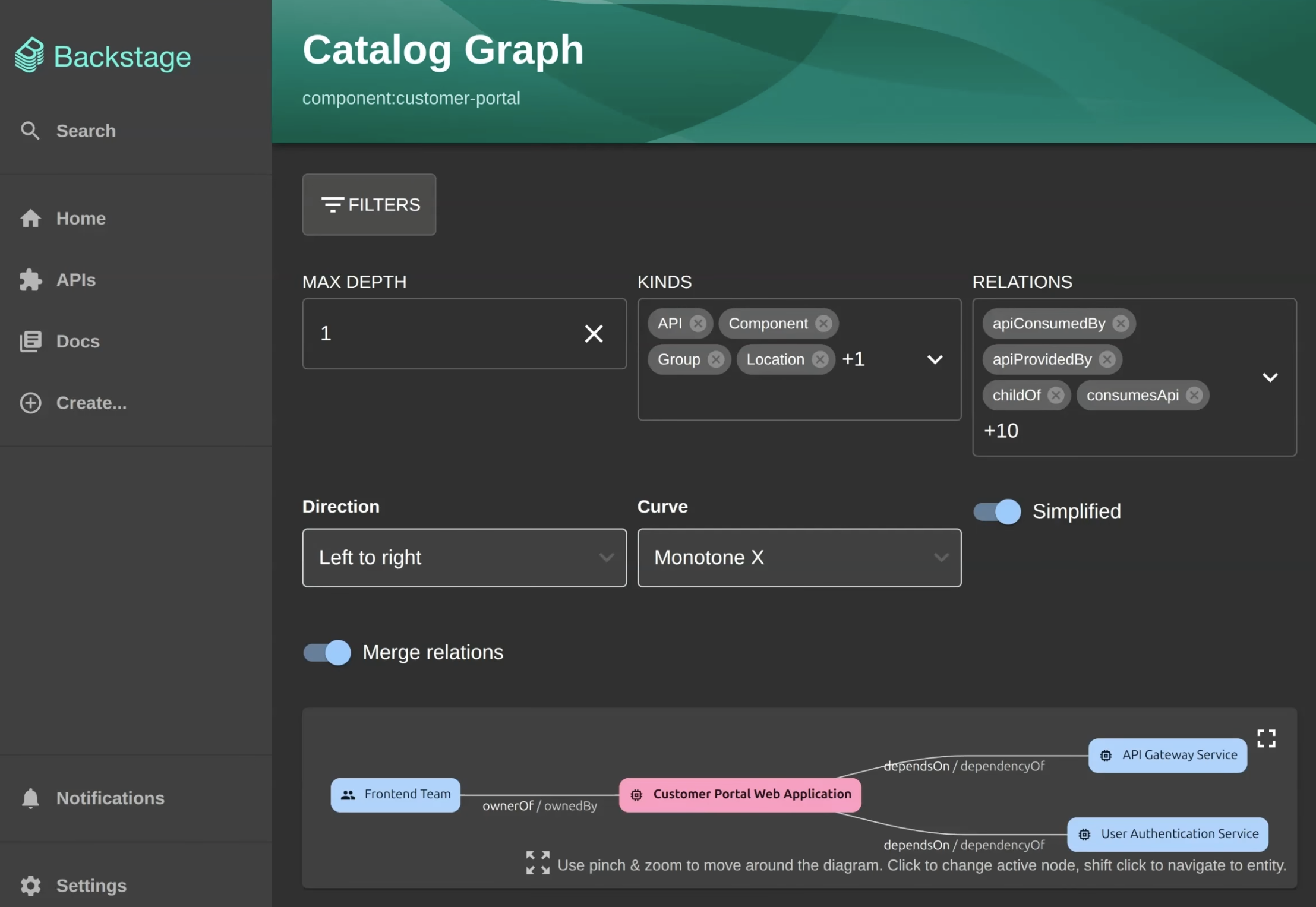
You can see which services depend on others, which APIs are consumed, and which team owns each piece. For someone new to the system, this is the difference between being productive in days instead of weeks.
Search That Actually Works
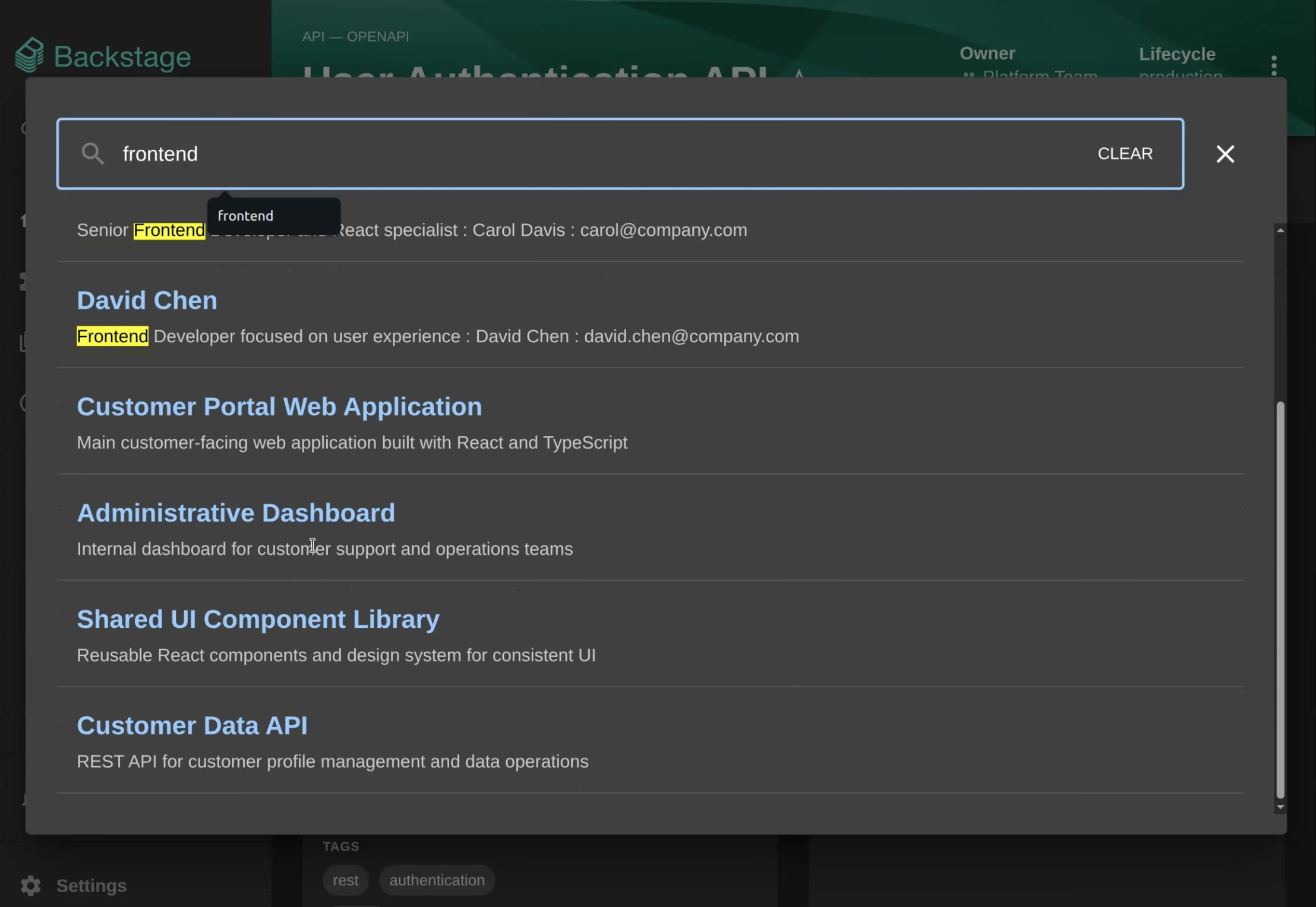
Finally, we show search.
Not search across docs only, or code only, but search across people, teams, services, APIs, and documentation at the same time.
Typing something like "authentication" or "frontend" instantly surfaces the relevant teams, components, and APIs. No Slack archaeology required.
A Glimpse of Self-Service
We end the demo with a quick look at software templates.
Even without diving deep yet, you can already see how Backstage supports creating new projects through standardized templates. This is where self-service starts, and where platform teams encode best practices without slowing anyone down.
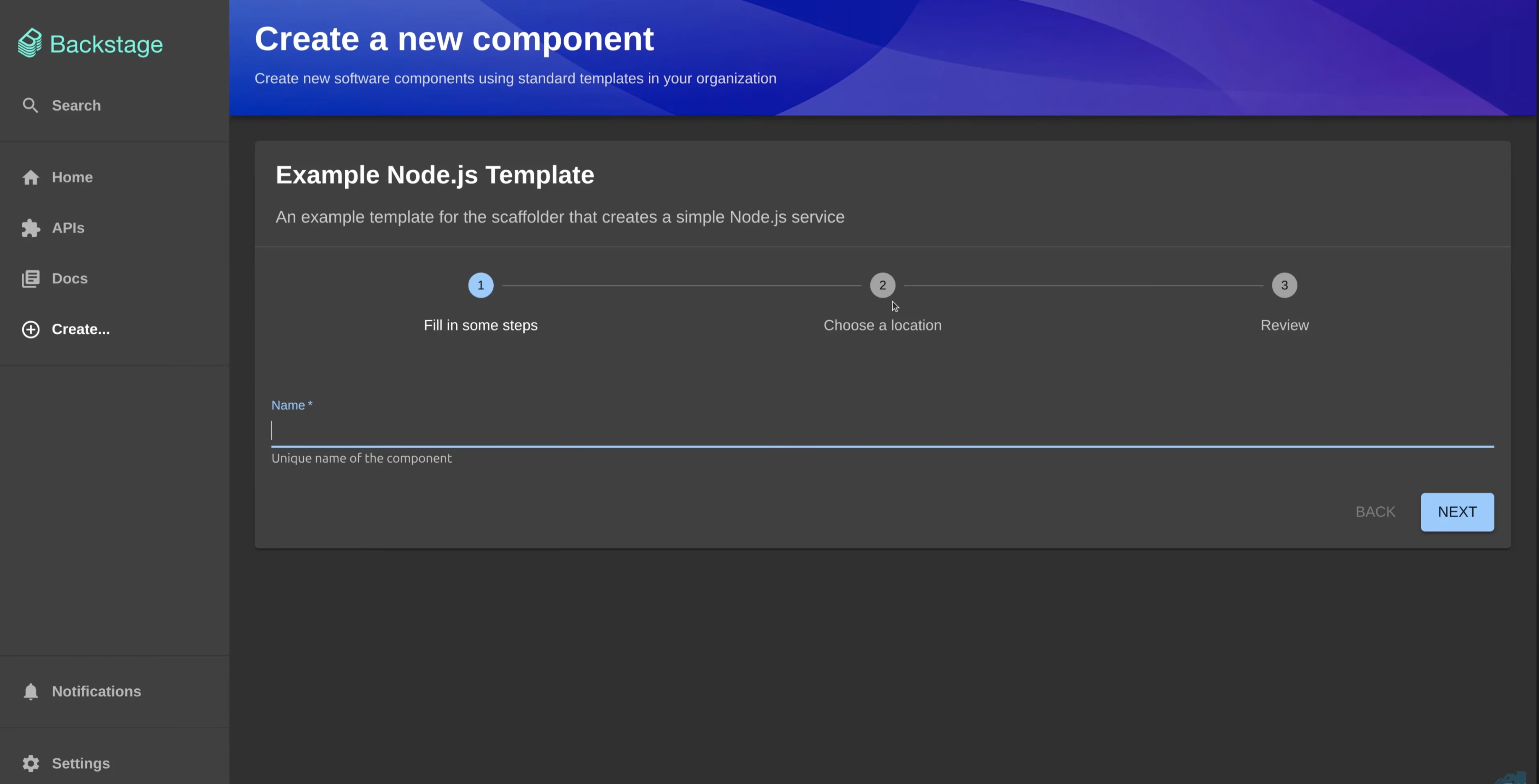
This is just a preview. The real power of templates comes next.
Seeing Relationships Instead of Guessing Them
Once entities are registered, Backstage restores order by making relationships visible.
Developers can click into a service and immediately see what it depends on, which APIs it uses, and who owns it. Instead of asking around or searching Slack, they get answers in seconds.
Search ties it all together. Developers can find services, APIs, documentation, and teams using keywords or tags, regardless of experience level. New hires ramp up faster. Product teams move with more confidence.
This isn't flashy. It's practical. And it works.
Docs Like Code: Technical Documentation That Scales
In many organizations, technical documentation becomes outdated almost as soon as it's written. Backstage addresses this with a docs like code approach through Tech Docs.
With Tech Docs, documentation is written in Markdown files and stored with the source code. Updates happen through pull requests, alongside the code changes they describe. Documentation evolves with the software instead of lagging behind it.
For developers, this means documentation is easy to find, accurate, and tied directly to services in the service catalog. For teams, it means better onboarding, fewer questions, and higher-quality code.
Backstage also supports open source plugins, allowing teams to extend documentation workflows and integrate data pipelines or other tools as needed.
Why This Matters Beyond Today's Tooling
Internal developer portals are no longer optional. They're becoming infrastructure.
According to Gartner, by 2026, 80% of software engineering organizations will have platform teams, up from 45% in 2022. Platform engineering is quickly becoming the default model.
The market reflects that shift. As of September 2024, the median platform engineer salary reached $161,250 globally. Companies are investing heavily in developer experience because it directly impacts delivery speed and quality.
Backstage fits squarely into this future.
The Bigger Picture: Letting Developers Build Again
Everything leads back to one goal: removing friction.
When developers can see all the services, find documentation, understand ownership, and create new repositories without waiting, they stop digging and start shipping.
Backstage unifies infrastructure tooling, services, and documentation into one interface. It helps teams avoid solving the same problems repeatedly and gives engineers a clear path from idea to production.
Backstage doesn't magically fix broken processes. But it gives platform teams the structure they need to scale software development without slowing down.
Where This Goes Next
So far, the focus has been visibility and clarity.
But visibility is only the first step.
The real power of building developer portals shows up when developers can take action. That's where software templates and golden paths come in.
In the next episode of this Backstage series, we'll dive into how teams use software templates to create new microservices and new repositories in minutes, moving from form submission to working code without tickets or handoffs.
If Episode 1 is about bringing order to the chaos, Episode 2 is about speed.
Continue with Episode 2: Golden Paths with Backstage, How Developers Stop Waiting and Start Shipping
That's where things really start to get fun.